How to set up IPTV on all devices
Welcome to the IPTV setup guide for all devices. Follow these simple steps on how to set up IPTV on all devices and start streaming your favorite content with StaticIPTV.
For FireStick
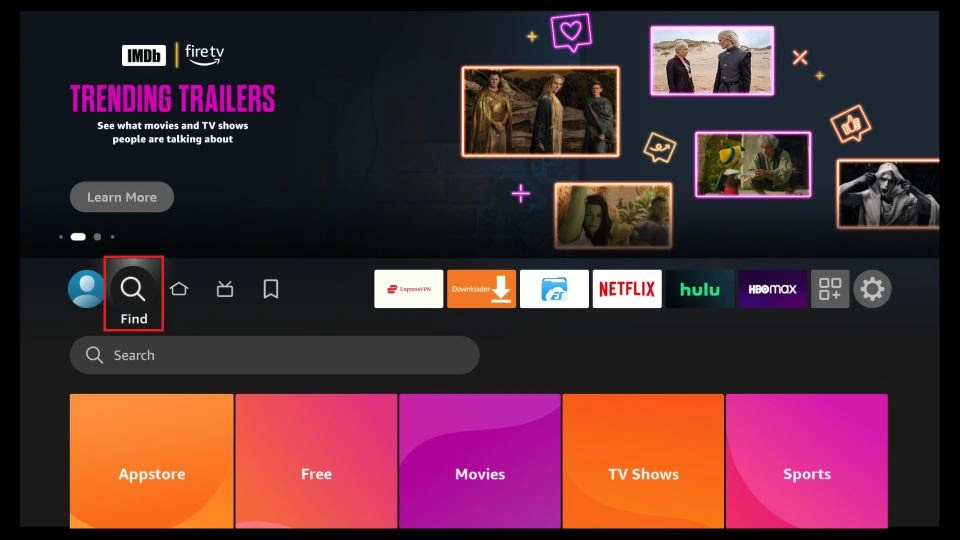
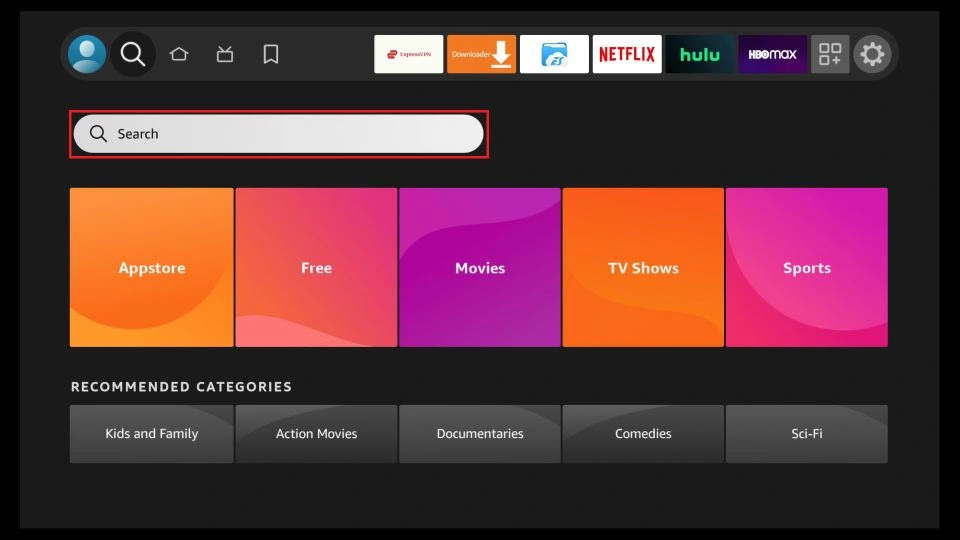
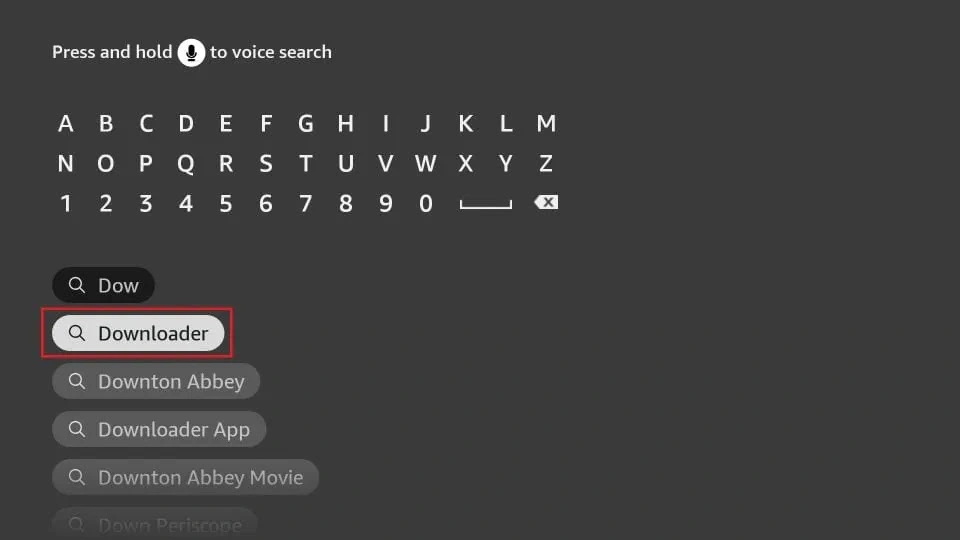
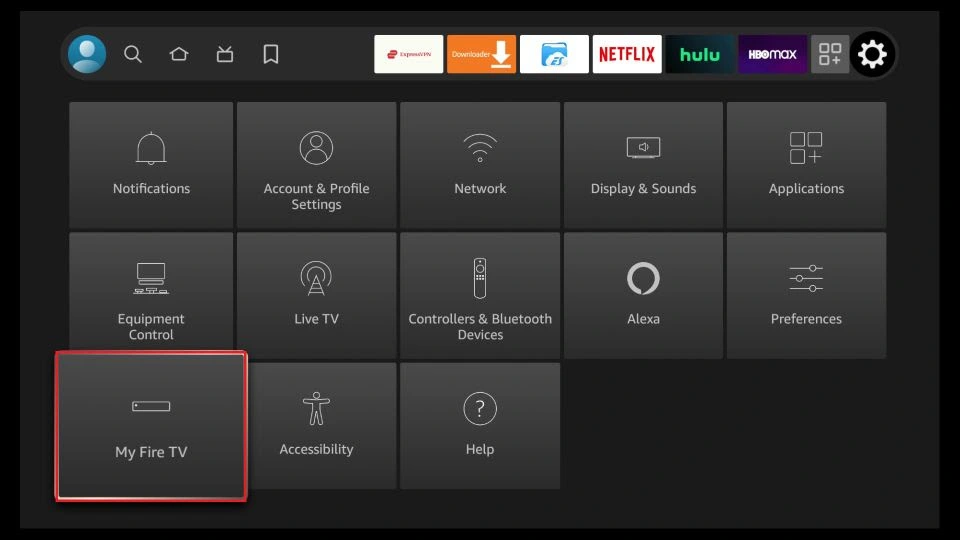
1. You need to be on the home screen of FireStick. Select FIND.
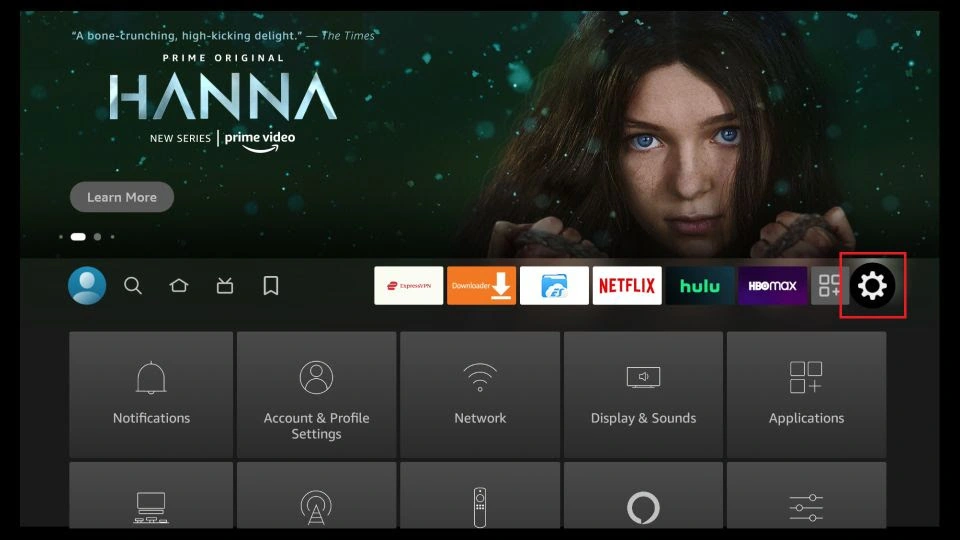
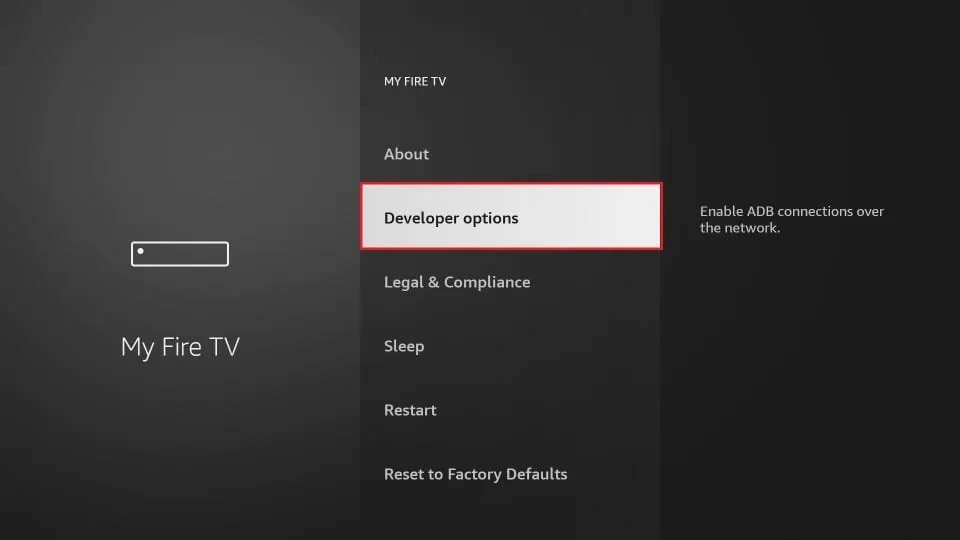
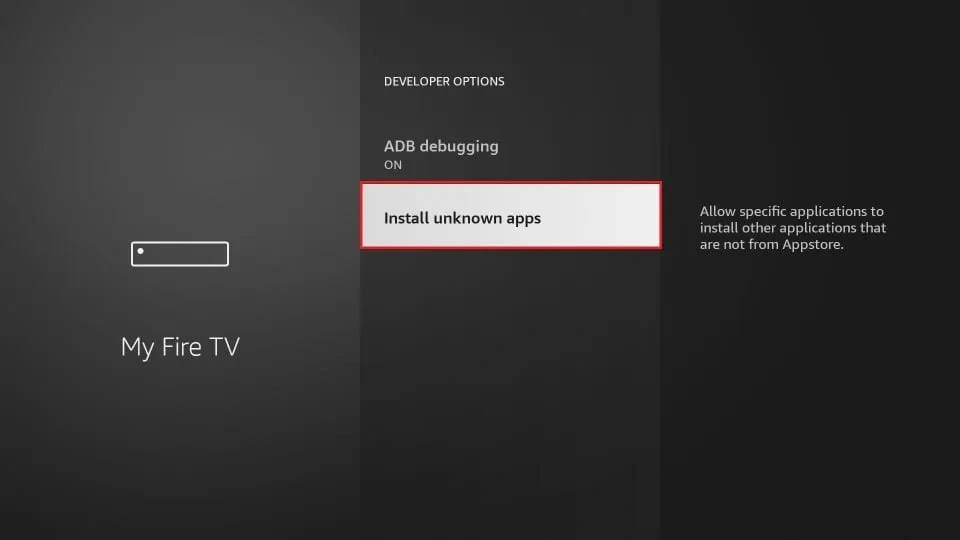
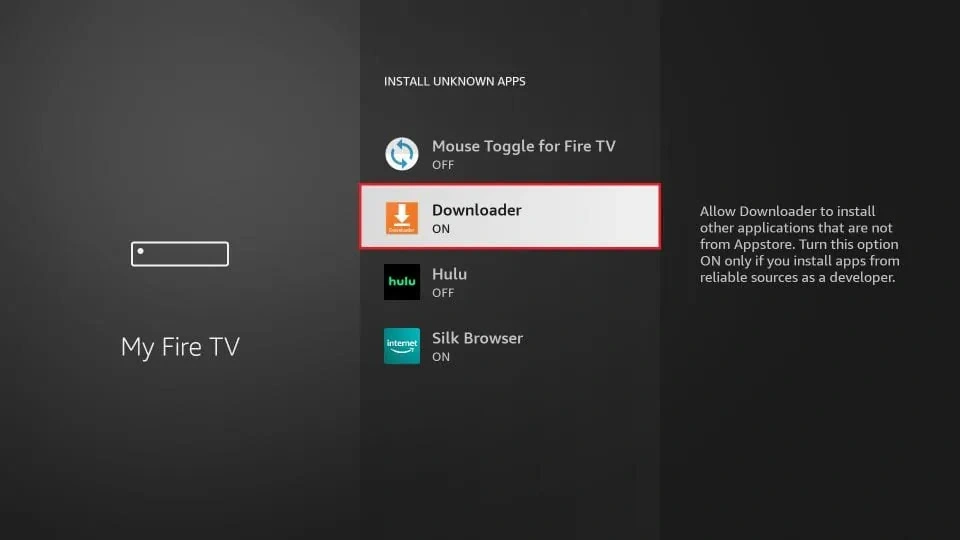
Once you have enabled Apps from Unknown Sources, you may start installing the StaticIPTV Player app on FireStick. Here are the steps:
9. You may now open the Downloader app. Some prompts will be displayed when you run it for the first time. Dismiss them by choosing the appropriate options. When the following screen of the app appears, click the textbox highlighted in the image below.
10. Now, simply type in the following path/URL on this popup window with the onscreen keyboard:
https://staticiptv.app (downloader code 153009)
Click OK
11. Wait until the StaticIPTV Player APK is downloaded onto your FireStick device.
Downloader app will automatically run the StaticIPTV Player APK for you. Go ahead and click Install
Getting Started with StaticIPTV Player App
Note: If you still have issues, please take a photo of your Mac address and device key with your phone and send it to our team via chat, WhatsApp, or email: admin@maxcanales.store
Click here for live chat.
Click here to message us on WhatsApp.
For All Android Devices: Phones, TVs, Boxes
Just go to the Play Store and search for IBO Pro Player.
Direct link to Play Store: Click Here
Note: Numerous applications claim to be the genuine Ibo Player Pro. To qualify for free activation, ensure that you download and install the original application as depicted in the image below:
For All iOS Devices: iPhones, Mac, Apple TV
Just go to the App Store and search for IBO Pro Player.
Direct link to App Store: Click Here
Note: Numerous applications claim to be the genuine Ibo Player Pro. To qualify for free activation, ensure that you download and install the original application as depicted in the image below:
image below:
For LG TVs
Just go to the App Store and search for IBO Pro Player.
Direct link to App Store: Click Here
Note: Numerous applications claim to be the genuine Ibo Player Pro. To qualify for free activation, ensure that you download and install the original application as depicted in the image below:
image below:
For Samsung TVs
Just go to the App Store and search for IBO Pro Player.
Direct link to App Store: Click Here
Note: Numerous applications claim to be the genuine Ibo Player Pro. To qualify for free activation, ensure that you download and install the original application as depicted in the image below:
image below:
For roku device
Simply navigate to Roku and search for the IBO Player Pro App.
For direct access to the Roku Store, please follow this link: Click Here
Note: Numerous applications claim to be the genuine Ibo Player Pro. To qualify for free activation, ensure that you download and install the original application as depicted in the image below:
image below:
Accordion Item
Getting Started with IBO Pro Player App
#2 How to use IBO Pro player app
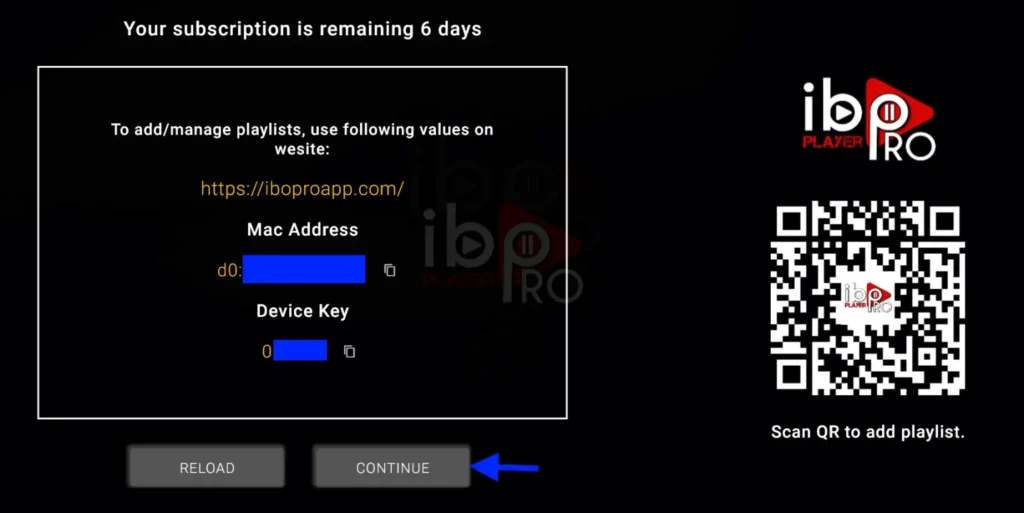
1- A popup image displaying your Mac Address and device key will appear. Click “Continue” (don’t forget to send us your Mac Address and device key via chat, email, or WhatsApp for activation).
Email: support@staticiptv.us.
Click here to message us on WhatsApp.
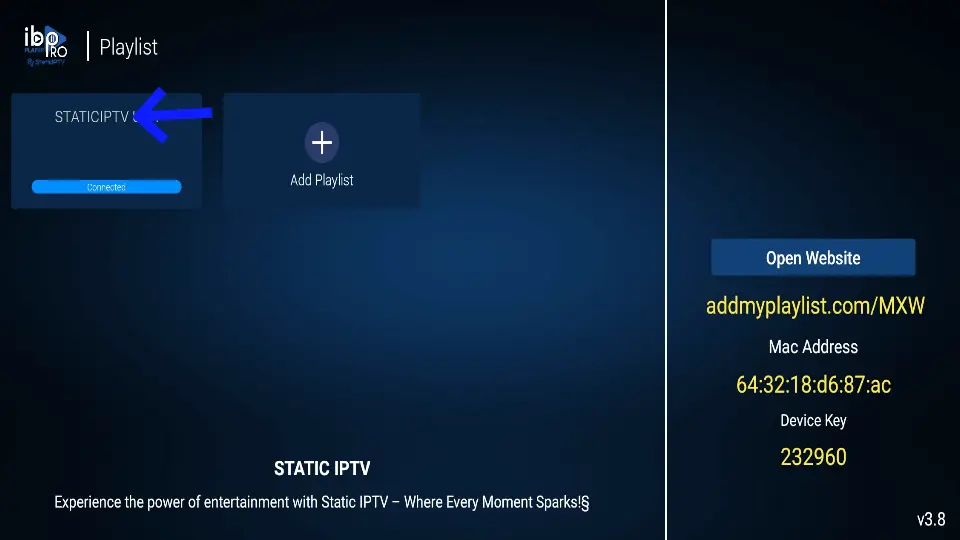
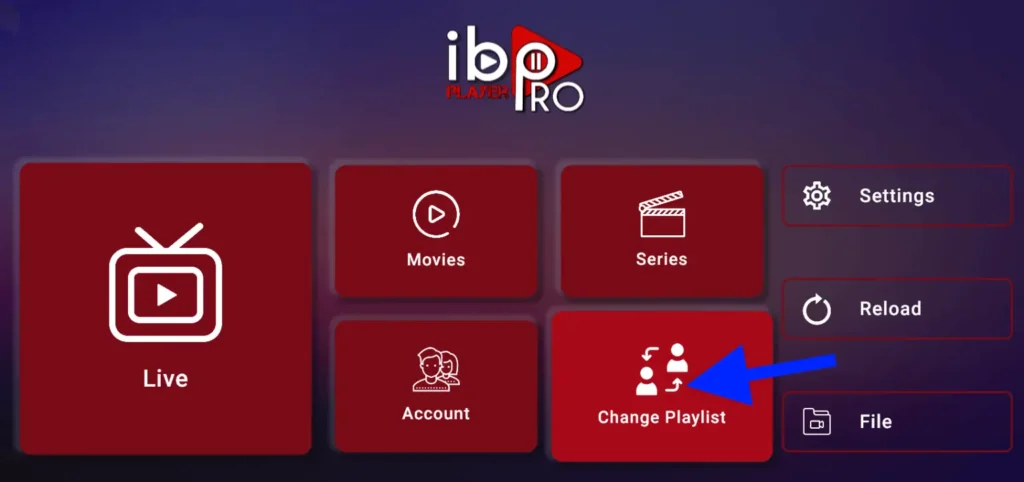
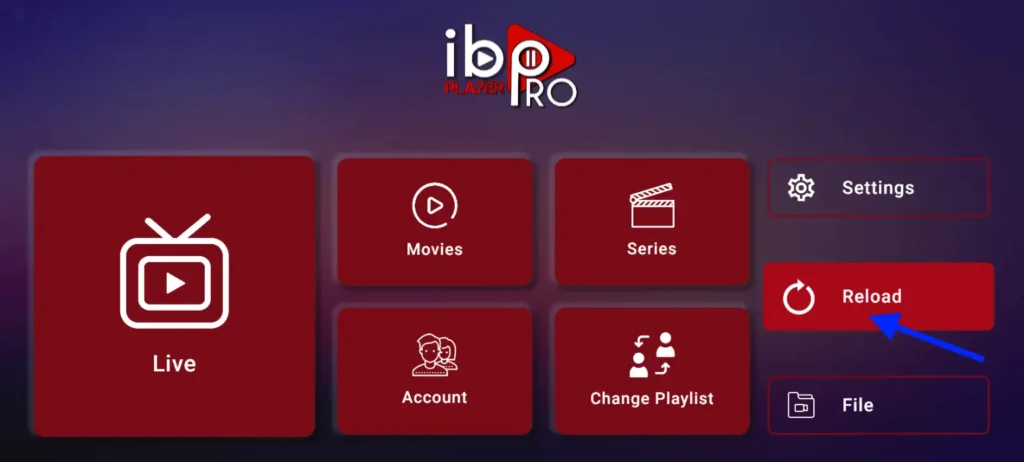
2- App Home page will appear. Click On Change Playlist
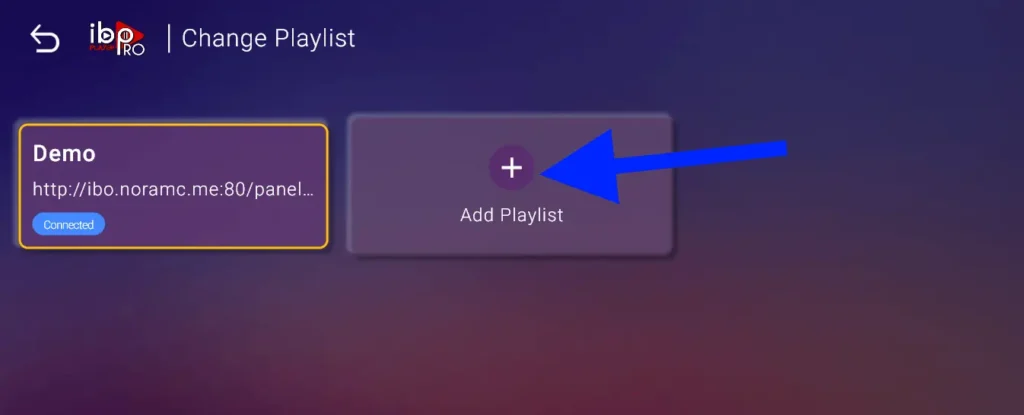
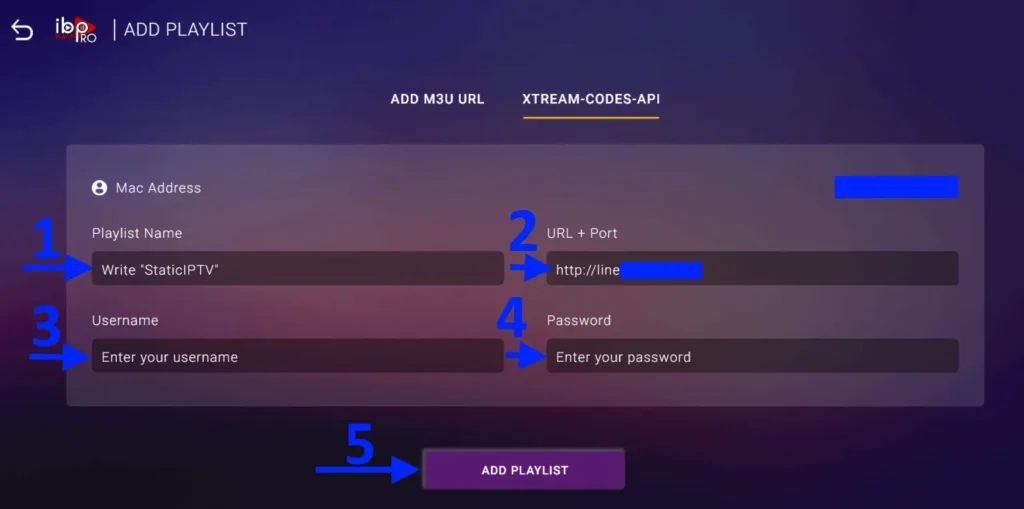
3- Click on Add Playlist
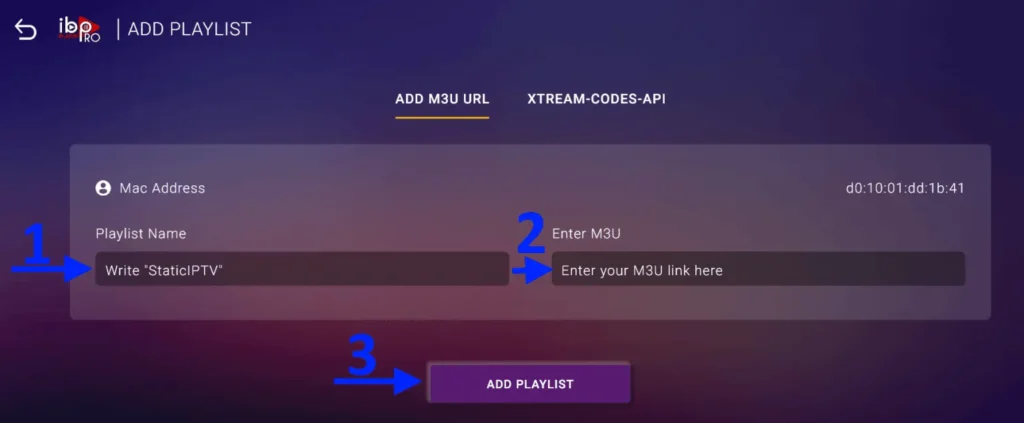
Note: You can add your playlist using one of the two methods explained below.
First: Add your m3u Link, check for info in your email inbox/spam for Subscription Account Login Details
Second : Select tab Xtream-Codes-API and check for info in your email inbox/spam for Subscription Account Login Details Details
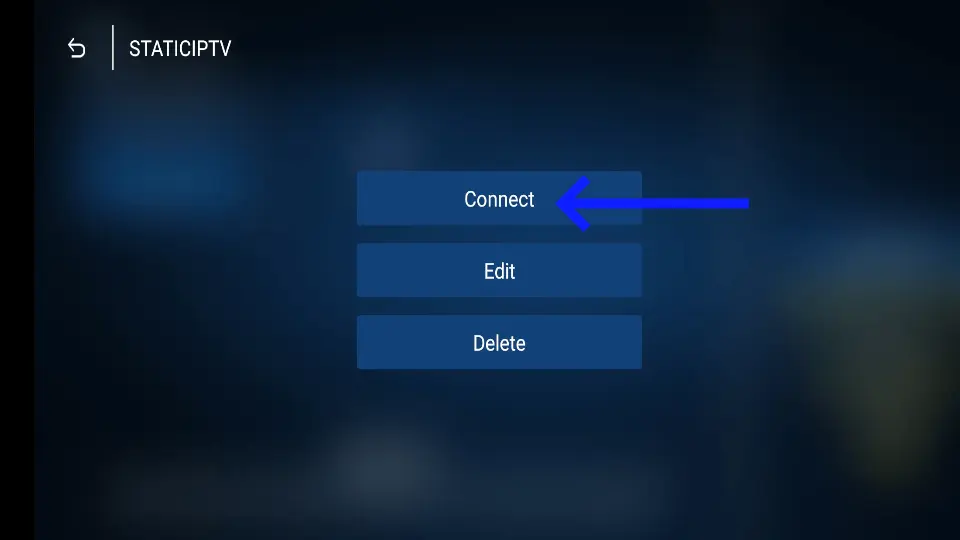
4- Select Add Playlist. Make sure playlist is connected back to Home Page and click Reload Details Details
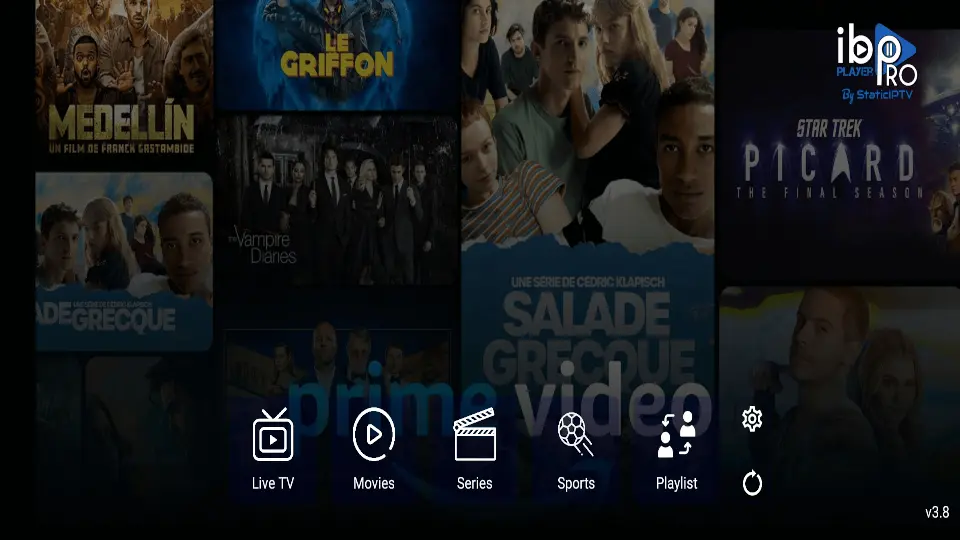
Enjoy your live Movies Series.
Note: If you still have issues, please take a photo of your Mac address and device key with your phone and send it to our team via chat, WhatsApp, or email: admin@maxcanales.store
Accordion Item
FAQS
What is IPTV?
IPTV stands for Internet Protocol Television, which allows you to stream live TV channels, movies, and shows over the internet rather than through traditional satellite or cable.
Can I use the IBO Pro Player to watch IPTV on all devices?
es, IBO Pro Player is compatible with various devices, including Android smartphones, tablets, smart TVs, and even PCs. After downloading and installing the app, you can easily set up IPTV by entering your subscription details.
Is it legal to use IPTV on my device?
The legality of IPTV depends on the service you are using. Official IPTV services that have proper licensing agreements are legal, but some unauthorized services might be illegal. Always check the legality in your region before subscribing.
What if my IPTV app doesn’t work on my device?
If your IPTV app isn’t working, try restarting your device, checking your internet connection, or reinstalling the app. If the problem persists, you might need to contact your IPTV provider for further assistance.